The Complete Guide to Exporting & Filtering Instagram Comments for Contests and Giveaways

September 27, 2026
The Complete Guide to Exporting & Filtering Instagram Comments for Contests and Giveaways
Instagram giveaways are one of the most effective strategies to grow your followers, boost engagement, and launch new products. A viral giveaway post can easily generate between 5,000 and 50,000 comments in a single weekend.
However, once the contest closes, picking a winner becomes an operational nightmare:
- Basic web comment pickers often cap extraction at 100 or 500 comments unless you pay high subscription fees.
- Many tools miss nested comment replies where users tagged their friends.
- Generic pickers lack transparency, leaving your brand open to accusations of favoritism or rigged contests.
In this practical guide, we show you how to export every single contest comment to Excel or CSV using Analytics Social, apply clear verification formulas, and preserve a permanent audit trail for complete fairness.
Why Exporting Raw Entries Beats Basic Random Pickers
Automated "comment picker" apps operate inside a black box. You paste a URL, click a button, and the app displays a single handle.
Here is why marketing professionals and serious brands avoid black-box pickers:
- Inability to Verify Complex Rules: Most giveaways require multi-step conditions, such as: "Tag 2 friends, use hashtag #BrandSummer, and tell us your favorite color." Generic pickers cannot evaluate multi-condition rules accurately.
- Missing Reply Threads: If an entrant tagged their friends in a nested reply rather than the main comment, basic export utilities miss the entry entirely.
- No Legal Audit Trail: If a disgruntled participant claims the contest was rigged, having a timestamped CSV spreadsheet with every entry, timestamp, and deduplication formula protects your brand reputation.
Step 1: Export All Contest Comments to CSV in Seconds
To pull your complete dataset without giving away your Instagram login credentials, use Analytics Social:
- Copy the public link to your giveaway post or Reel from Instagram.
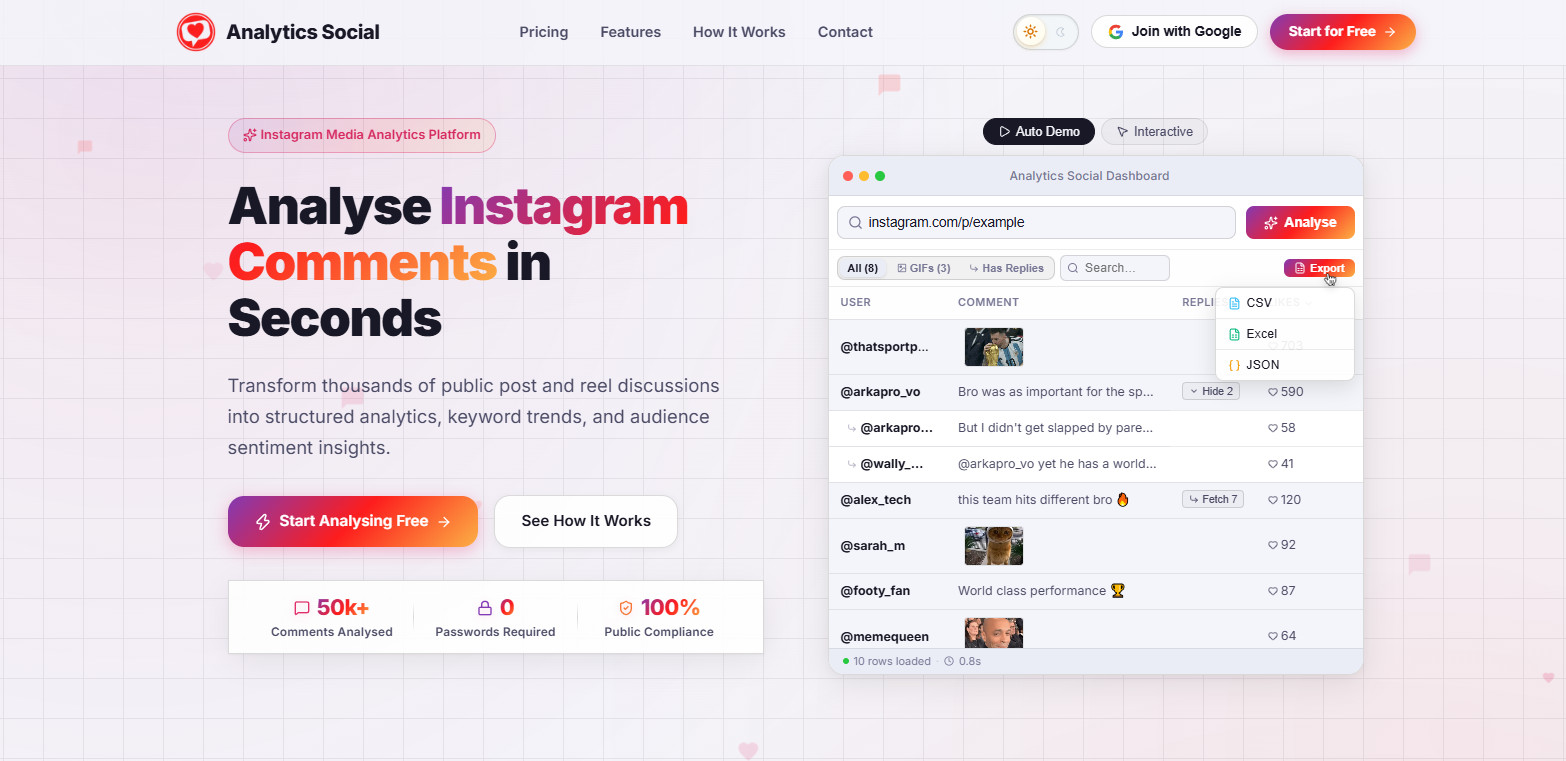
- Go to Analytics Social and paste the link into the analysis bar.
- Click Analyse. The cloud runner will process top-level comments and nested conversation threads in real time.
- Once completed, click the Export button and select Excel (.xlsx) or CSV.
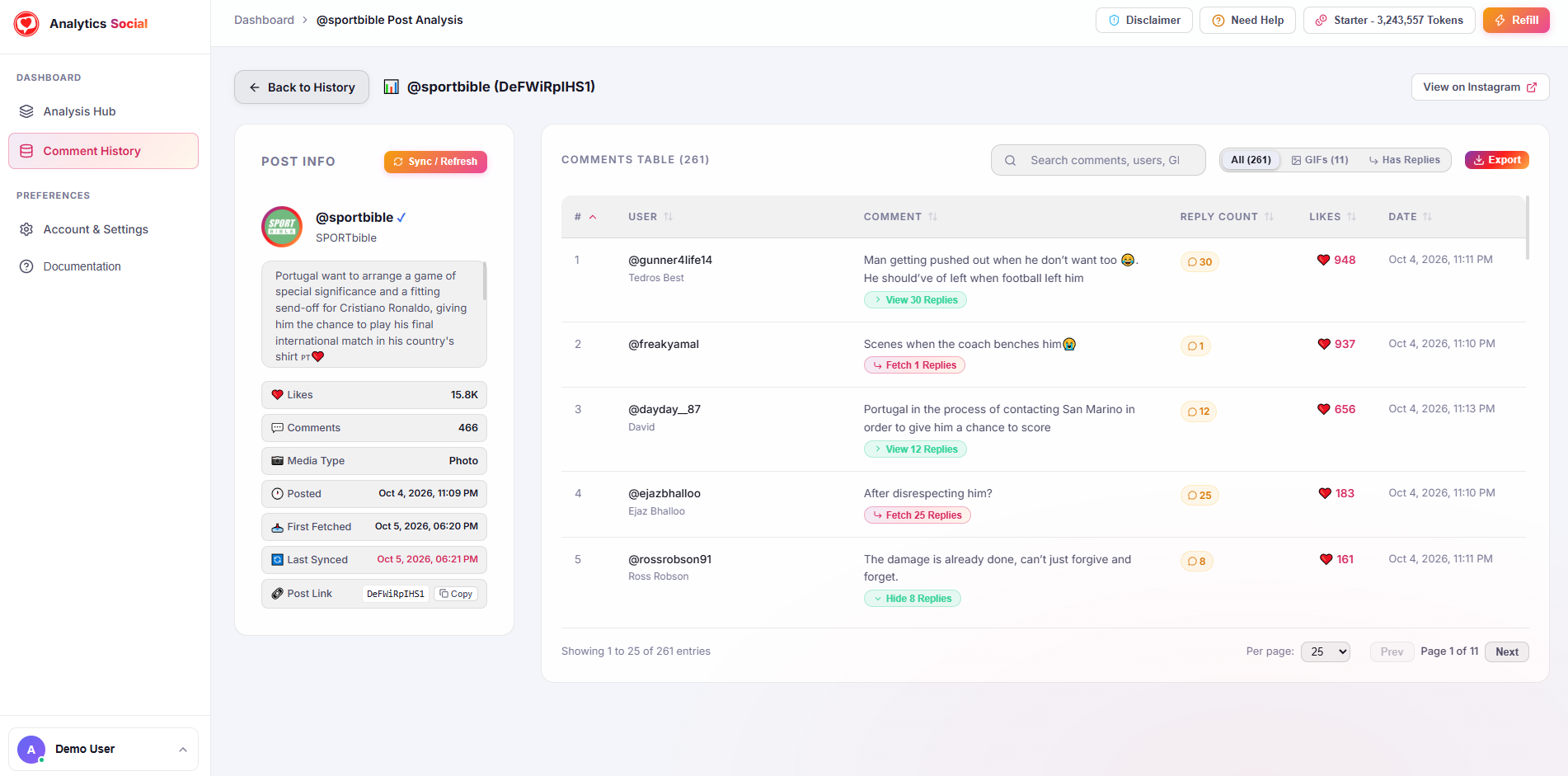
You now have a clean spreadsheet containing every participant, timestamp, comment text, and like count.
Step 2: Excel Formulas to Filter Valid Entries
Once your file is open in Microsoft Excel or Google Sheets, use these formulas to isolate qualified entries:
Rule 1: One Entry Per Person (Deduplication)
If your rules state that multiple comments do not increase winning odds:
- Highlight your table.
- Go to Data > Remove Duplicates.
- Select only the
usernamecolumn. - Excel removes repeated comments from the same handle, leaving exactly one entry per user.
Rule 2: Verifying Tagged Friends
If entrants were required to tag at least one friend:
- Add a new column named
Tagged_Friends. - In row 2, insert the formula:
=LEN(B2)-LEN(SUBSTITUTE(B2,"@", ""))(Assuming column B contains the comment text).
- This formula counts the number of
@symbols in each comment. - Filter this column to exclude any rows where the result is
0.
Rule 3: Verifying Required Hashtags
If entrants had to include a specific hashtag (for example, #MyBrand):
- Add a column named
Has_Hashtag. - Insert the formula:
=ISNUMBER(SEARCH("#MyBrand", B2))- Filter the column to keep only rows showing
TRUE.
Step 3: Picking the Random Winner Fairly
Now that your spreadsheet contains only verified, qualified participants, pick a winner using Excel's native randomizer:
- Insert a new column titled
Random_Score. - Enter the formula
=RAND()in cell A2 and drag it down across all qualified rows. - Select the whole table and sort by
Random_Scorefrom Largest to Smallest (or Smallest to Largest). - The user at the very top (Row 2) is your verified, unbiased winner.
Screen-record your desktop while sorting the RAND() column. Post this 10-second clip to your Instagram Stories. Followers appreciate seeing an honest, transparent process, which builds trust for future events.
Step 4: Archive Your CSV for Compliance
Save your final spreadsheet as Giveaway_Winner_Audit_YYYY-MM-DD.xlsx. Keep it in your brand archives for at least 6 months. In the rare event an entrant questions the outcome, you can produce the timestamped dataset immediately.
Summary
Ditch limited comment pickers that truncate data or demand private passwords. By pairing the rapid extraction speed of Analytics Social with simple spreadsheet formulas, you can run professional, trustworthy, and audit-proof Instagram giveaways every time.